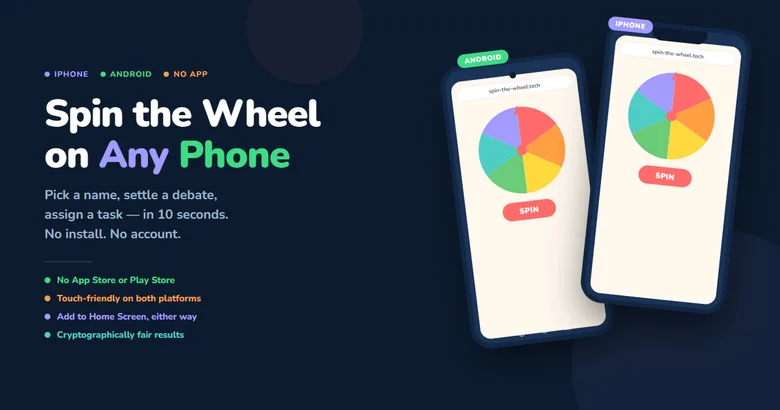
Your phone is already in your hand
You need to pick a name, settle a debate, or assign a task, and you want the answer in ten seconds, not ten minutes. Here's the good news: you don't need to install anything on either platform. A browser-based spin wheel works on iPhone and Android exactly the same way it works on a desktop. No App Store, no Play Store, no account, no loading screens. Just open the browser, add your entries, and spin.
This guide covers how to use Spin the Wheel on your phone, whichever one you're holding. The steps differ slightly between iOS and Android, so we've split those out below, but the tool itself, and the cryptographic randomness behind every result, is identical on both.
📌 Key Takeaways
- No app needed on iPhone or Android. Open Safari or Chrome and go.
- Every spin uses
crypto.getRandomValues(), the Web Cryptography API standard, notMath.random(). - A built-in test runs 10,000 spins in under a second so you can verify fairness yourself.
- Add it to your home screen on either platform for one-tap access, no login required.
What is a spin wheel?
A spin wheel is a digital randomiser that takes a list of items and picks one by animating a rotating wheel. You've probably seen the physical version at fairs and game shows. The browser version does the same thing, minus the carnival ticket.
On a phone, a good spin wheel tool should:
- Load instantly in your default mobile browser, no app install required
- Respond to touch: tap to spin, swipe to scroll through entries
- Scale correctly to any screen size, from a compact phone to a tablet
- Work without a persistent login or cloud sync requirement
Spin the Wheel is fully mobile-responsive on both platforms. The wheel scales automatically, the Spin button is large enough to tap accurately mid-meeting, and the entry field is sized to avoid triggering unwanted auto-zoom when you tap it.
How to use Spin the Wheel — step by step
The core flow is identical on iPhone and Android: open a browser, load the site, add names, tap Spin. The only real differences are which browser opens by default and how you save a shortcut to your home screen.
📱 On iPhoneOpen Safari or Chrome
Both work. Safari is the iPhone default and loads the site with no extra steps. Chrome works just as well if that's your preference.
Go to spin-the-wheel.tech
Type the address and tap Go. The wheel loads immediately, no splash screen, no sign-in prompt, no cookie banner.
Add your entries
Tap the text area and type names or options, one per line. The wheel updates in real time as you type.
Tap Spin
The wheel animates and slows to a stop on the result. For sequential picks, tap Remove & Spin Again to drop the winner and go again.
Pro tip: in Safari, tap the Share button (the box with the arrow), then choose Add to Home Screen. The icon opens the wheel full-screen with no browser toolbar.
Open Chrome, Firefox, or Samsung Internet
All three work. Chrome is the most common Android default. The Web Cryptography API that powers the randomness is supported across every major Android browser.
Go to spin-the-wheel.tech
Type the address and tap Go. The page is lightweight and loads even on a slow mobile connection.
Add your entries
Tap the text area and type your names or options, one per line. The Android keyboard opens automatically and the wheel updates as you go.
Tap Spin
The wheel decelerates and lands on a result, shown below the wheel. Tap Remove & Spin Again to draw again without repeating a winner.
Pro tip: in Chrome, tap the three-dot menu (⋮), then choose Add to Home screen. The icon opens the site in standalone mode, filling your screen exactly like an installed app.

What makes mobile different from desktop
Beyond the basic flow, a few things work particularly well on phones specifically, and a couple of them differ between the two platforms.
- Screen mirroring, either way. iPhone casts to a TV or projector via AirPlay; Android has Chromecast, Miracast, and Samsung Smart View. For classroom use or a live giveaway, everyone watches the spin happen in real time, no question about whether the result was arranged beforehand.
- Browser choice varies by platform. iOS restricts every browser to the same WebKit rendering engine, so Safari and Chrome behave identically on iPhone. Android lets Chrome, Firefox, Samsung Internet, Edge, and Brave each run their own engine, and all of them support the Web Cryptography API the spin depends on.
- Samsung DeX support. A Galaxy phone in DeX mode runs spin-the-wheel.tech as a normal browser tab on an external monitor, with keyboard and mouse.
- No unwanted auto-zoom. Both iOS Safari and some Android browsers trigger auto-zoom on a small-font text field, which shoves the layout around mid-entry. Spin the Wheel sets the input font size to avoid this on either platform.
- Portrait or landscape. The layout adapts to both. Landscape gives the wheel more room; portrait is easier to hold one-handed when you're in a hurry.
What people use it for
🎓 Teachers on the go
Load the class list before the lesson. Walk around the room, tap Spin, call on whoever lands. No paper strips, no shuffling, no accusations of favouritism.
🎁 Live giveaways
Running a YouTube Live, TikTok, or Instagram giveaway? Add entrant names, share your screen, and spin live on camera. Screen-record the result to share afterwards.
💼 Team standups
Load team names before your daily standup, tap Spin to pick who presents first, and cast the wheel to your meeting screen.
🍕 Group decisions
Everyone at the table adds a dinner suggestion, one person spins, and that's where you're going. No thirty-minute debate that ends the same way it always does.
Does it work offline?
Once the page has loaded, Spin the Wheel runs entirely in your browser. There are no server calls during a spin, so if you lose your connection right after the initial load, the wheel keeps working regardless of platform. The only thing that needs a network connection is that first load.
For reliable offline access, add the site to your home screen. The browser caches the assets, and on later opens the page loads from cache before checking for updates. That means the wheel stays available in low-signal environments, school buildings with poor indoor coverage, event venues with saturated Wi-Fi, or anywhere else connectivity can't be trusted.
Completely free — no app store purchase required
Spin the Wheel is free on both platforms. No App Store purchase, no Play Store download, no in-app subscription, no watermark on your result, no entry limit before hitting a paywall. Open the site and the full tool is available immediately: cryptographic randomness, the 10,000-spin fairness test, Remove & Spin Again, and the winners log, all without spending anything or creating an account.
That matters in a category where a lot of "free" tools eventually reveal a catch. Some cap you at five entries without a subscription. Some require a sign-in to save a list. Some watermark the result screenshot. Spin the Wheel has none of those conditions on iPhone or Android. Open the site, spin, close the tab.
Works across every mobile browser
The Web Cryptography API behind every spin is a browser standard, not something exclusive to one app. Spin the Wheel works in:
- Safari and Chrome for iOS
- Chrome for Android, the most common Android default
- Samsung Internet, pre-installed on Galaxy devices
- Firefox, including Firefox Focus for private browsing
- Microsoft Edge and Brave, including with ad-blocking enabled (the tool uses no cross-site trackers)
Whichever browser happens to be open when you need a decision made is the right one. You don't need to switch apps first.
The technology behind randomness on your phone
Most browser-based random pickers lean on Math.random(), JavaScript's built-in pseudo-random number generator. It produces numbers that look random but follow a deterministic formula from a fixed seed. V8, the engine behind Chrome and every Chromium-based browser, documents on its own engineering blog that it switched Math.random() to the xorshift128+ algorithm specifically because the earlier generator was weak, while noting that xorshift128+ itself still isn't intended for cryptographic use ([v8.dev/blog/math-random](https://v8.dev/blog/math-random), 2015). For an everyday dinner decision, that distinction is irrelevant. For a live prize draw with a watching audience, it's a trust problem worth avoiding.
Spin the Wheel uses crypto.getRandomValues() for every spin instead, the Web Cryptography API standard that both iOS and Android use for HTTPS session key generation and secure local storage. On both platforms, this function draws entropy from the operating system's own randomness source, seeded by hardware interrupt timings, sensor jitter, and other unpredictable system events. Each spin is a fresh, independent draw with no mathematical link to any prior result, whether you're spinning on a five-year-old iPhone or the newest Android flagship.
Built-in fairness verification — run it from your phone
Knowing the tool uses cryptographic randomness is one thing. Verifying it on your own device is another. Spin the Wheel includes a built-in Auto Spin ×10,000 button that runs ten thousand simulated spins in under a second, right on your phone, and shows exactly how many times each entry was selected. It uses the same crypto.getRandomValues() function as a real spin, so the distribution you see reflects the tool's genuine behaviour in practice.
On a six-entry wheel, each name should land close to 1,667 times. Small gaps between entries, one at 1,681, another at 1,652, are completely normal. That's what genuine randomness looks like over a finite number of trials. A perfectly uniform result every single run would actually be suspicious, since exact uniformity at every scale is a signature of manipulated numbers, not free-running ones.
Run the fairness test on your phone before a live giveaway or classroom draw to show equal distribution to your audience before the real result is known. Screen-record it if you want a record. Then run the actual spin. The cryptographic quality doesn't change between the test and the real draw, and it doesn't change based on whether you're holding an iPhone or an Android device. The Web Cryptography API specification requires the same entropy standard from every compliant browser.
Frequently asked questions
Do I need to download an app to use Spin the Wheel on my phone?
No. Spin the Wheel runs entirely in your mobile browser, Safari, Chrome, Firefox, or Samsung Internet. There's nothing to download from the App Store or Play Store, no account to create, and no subscription. Open spin-the-wheel.tech, add your entries, and tap Spin.
Is the random result actually fair, or can it be rigged?
Every spin uses crypto.getRandomValues(), the Web Cryptography API standard also used for browser security operations like HTTPS key generation. Unlike Math.random(), this source draws entropy from the operating system and can't be predicted from past outputs ([v8.dev](https://v8.dev/blog/math-random), 2015).
Does Spin the Wheel work without an internet connection?
Yes, once the page has loaded. The wheel runs entirely in your browser with no server calls during a spin. Add the site to your home screen so it caches locally, useful in school buildings, event venues, or anywhere Wi-Fi is unreliable.
Which browser works best — Safari, Chrome, or something else?
Any of them. Safari and Chrome both work identically on iPhone, and Chrome, Firefox, Samsung Internet, Edge, and Brave all work on Android. The Web Cryptography API that powers every spin is a browser standard, not a feature limited to one app.
Can I add Spin the Wheel to my home screen?
Yes. On iPhone, tap the Share button in Safari and choose Add to Home Screen. On Android, tap the three-dot menu in Chrome and choose Add to Home screen. Both create an icon that opens the wheel full-screen, without browser controls.
Ready to spin?
Open your browser right now, go to spin-the-wheel.tech, type your list, and tap Spin. The whole thing, from opening the browser to having your result, takes about ten seconds on either platform. Add the site to your home screen and the next time you need to pick a name, decide between options, or settle a group debate on the go, it's one tap away with no loading screen and no login prompt in the way.
The randomness is cryptographic. The fairness is verifiable with a single tap. The tool is free. And it works on every phone in the room, iPhone or Android, old model or new, because it runs in the browser, not as a downloaded app with a subscription attached.